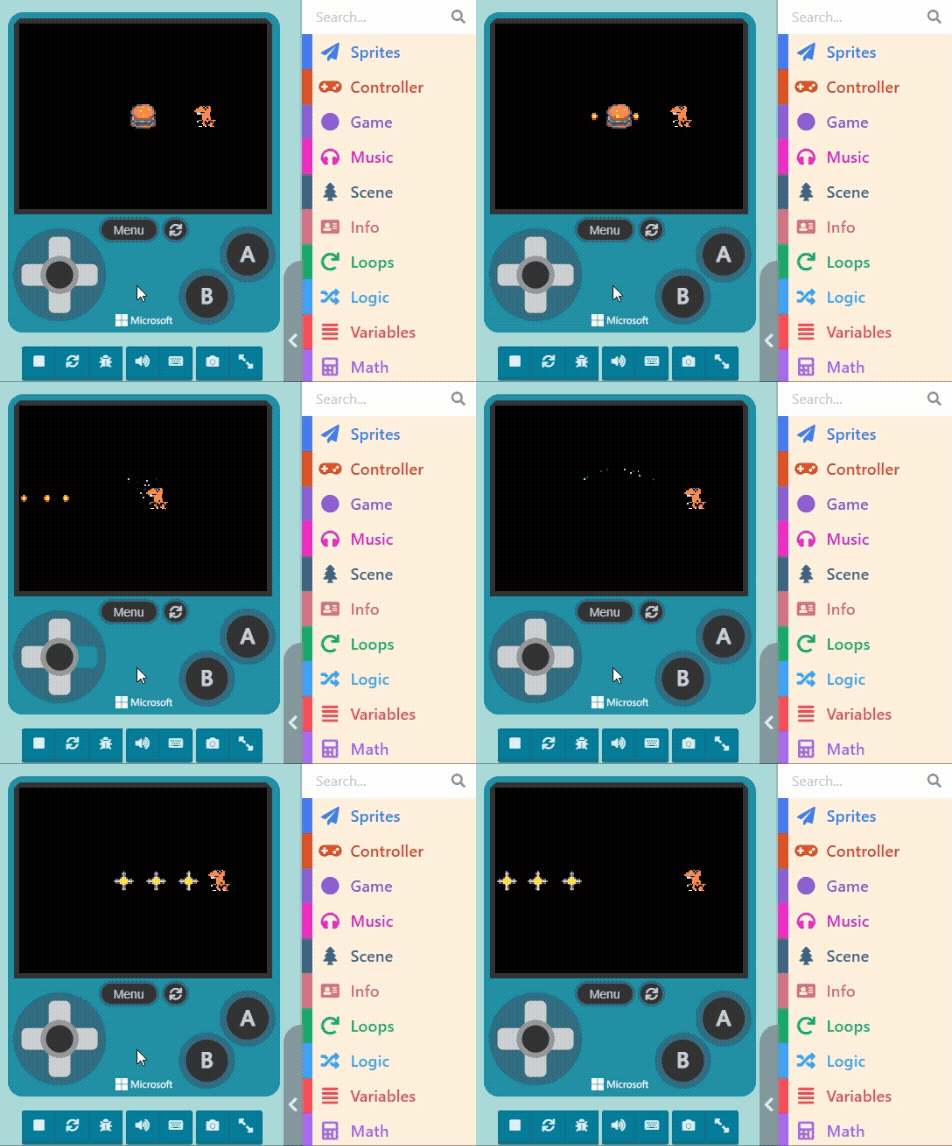
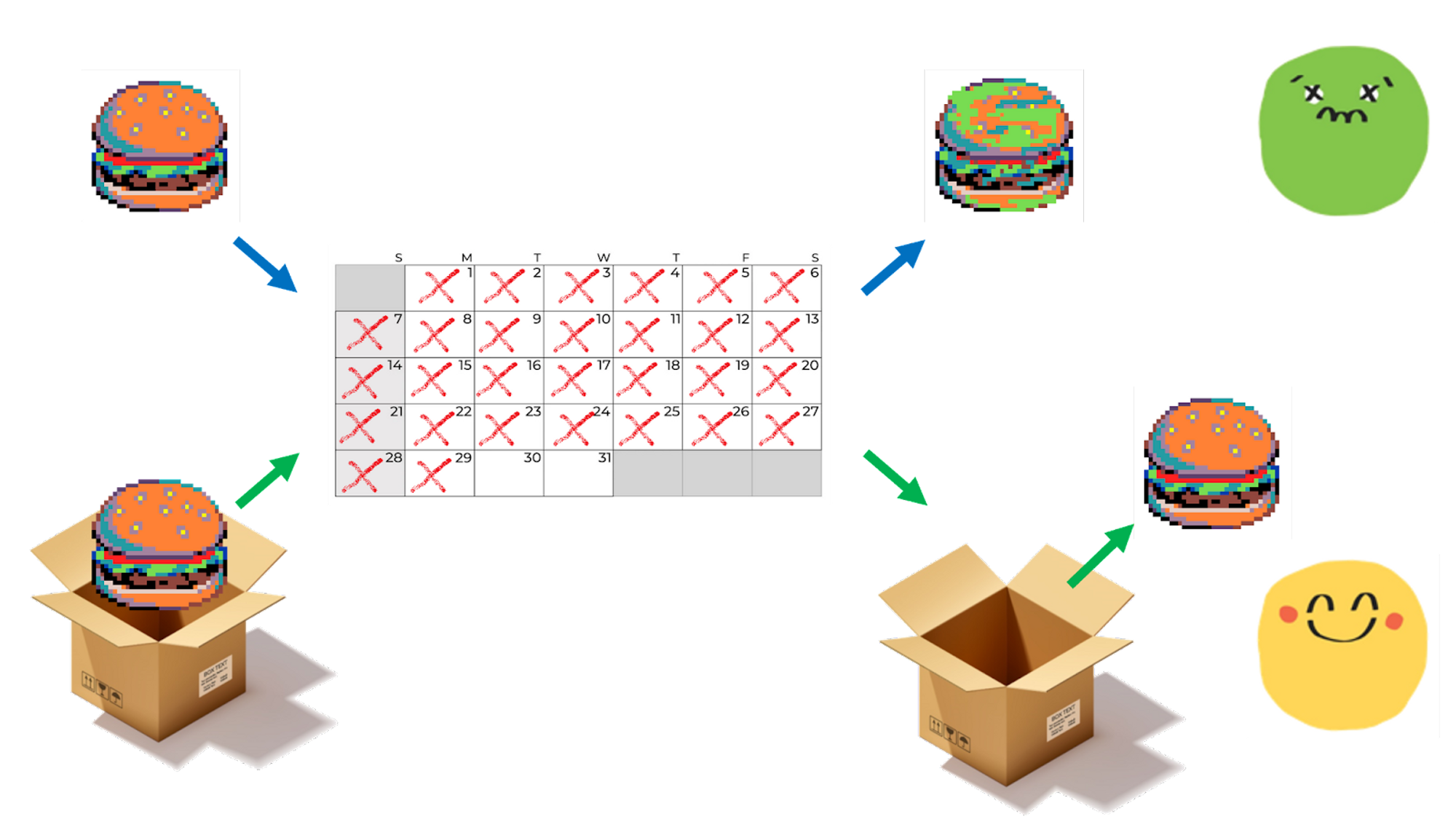
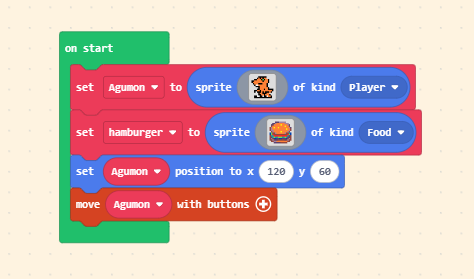
We will use “eating a Burger” as the trigger to change the bullets. First, add a new Sprite of kind “Food” (the Burger) and adjust the distance between it and the player.
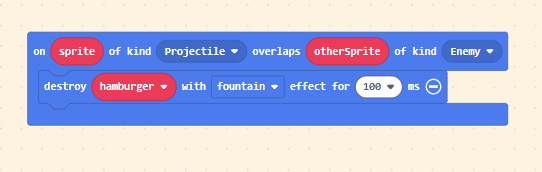
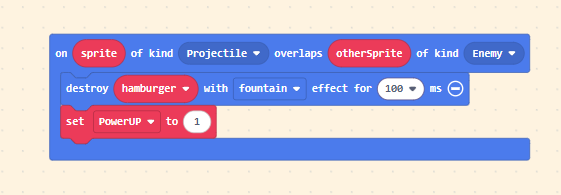
Next, set up the “Overlap” event so the Burger disappears (with an effect) when touched.
You are already familiar with the steps above. But what about the crucial “Change”? We can implement this using the “Variable” concept we mentioned before.
First, inside “on start“, create a new variable and set an initial value. You can name the variable whatever you like, but a name that fits its purpose helps keep your logic clear. Since we are changing the bullet style to represent increased attack power, let’s name it “PowerUP“.
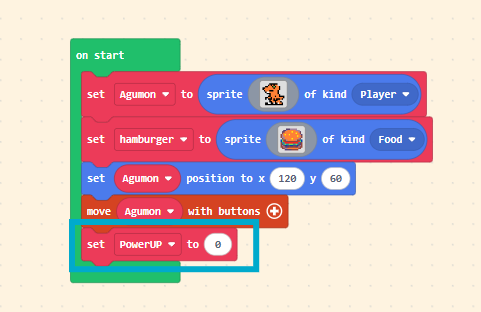
- When the variable “PowerUP” is “0,” we want the bullet to be the original style.
- When it becomes “1,” we want the upgraded bullet style.
So, at the end of the “Burger Eaten” block, add a block to set variable [PowerUP] to [1].
Finally, inside the “on [A] button [pressed]” block, add a logic condition (if… else…). Copy the bullet logic from the “B button” block into the appropriate slot.
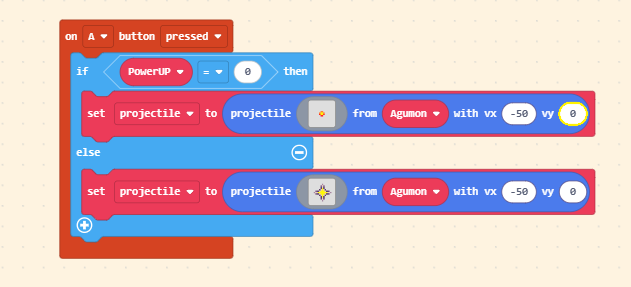
Since the “on [B] button [pressed]” block was just for testing our design, now that we have integrated the patterns into the “on [A] button [pressed]” block, you can delete the B button block.
Please test in the Game Simulator to see if the bullets change.