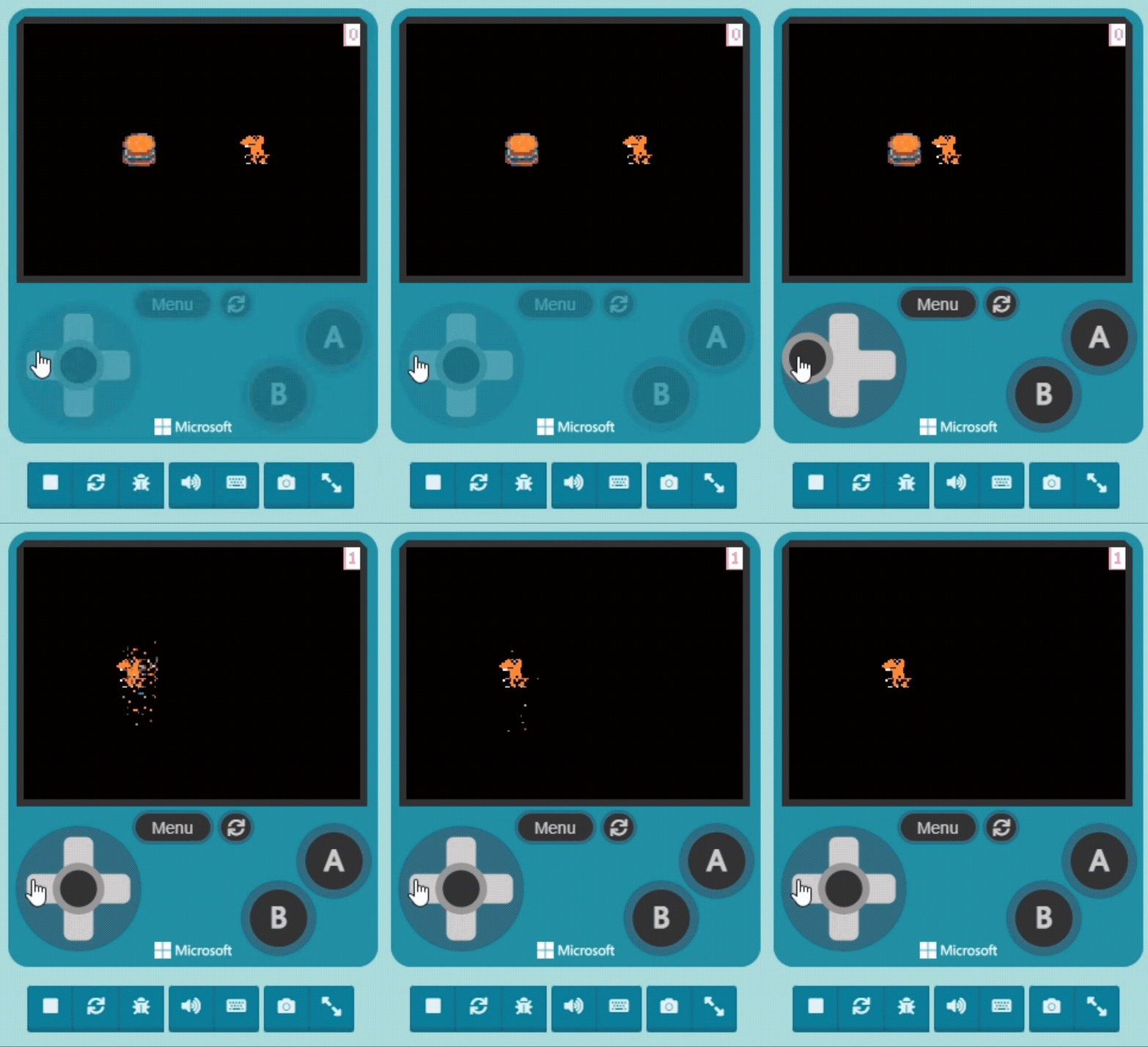
First, open your project from the previous unit. You should have two sprites, and when they overlap, the non-player sprite is destroyed.
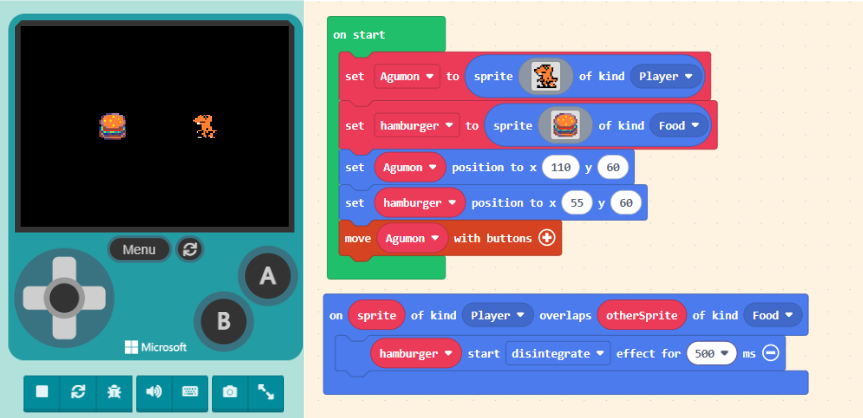
Taking the characters in the image as an example, our idea is: when the Burger is “destroyed“, we “gain points“. In MakeCode Arcade, a group of blocks is dedicated to handling this information: the “Info” category in the Block Toolbox.
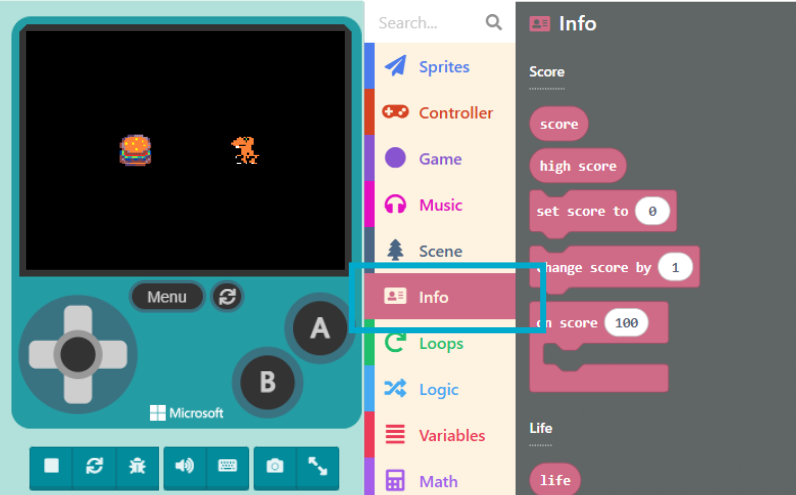
The “Info” category contains blocks like “Score“, “Life“, and “Countdown“, which we will use in order.
When we drag score-related blocks into the Workspace and assemble the code correctly, a score area will appear in the top-right corner of the Game Simulator.
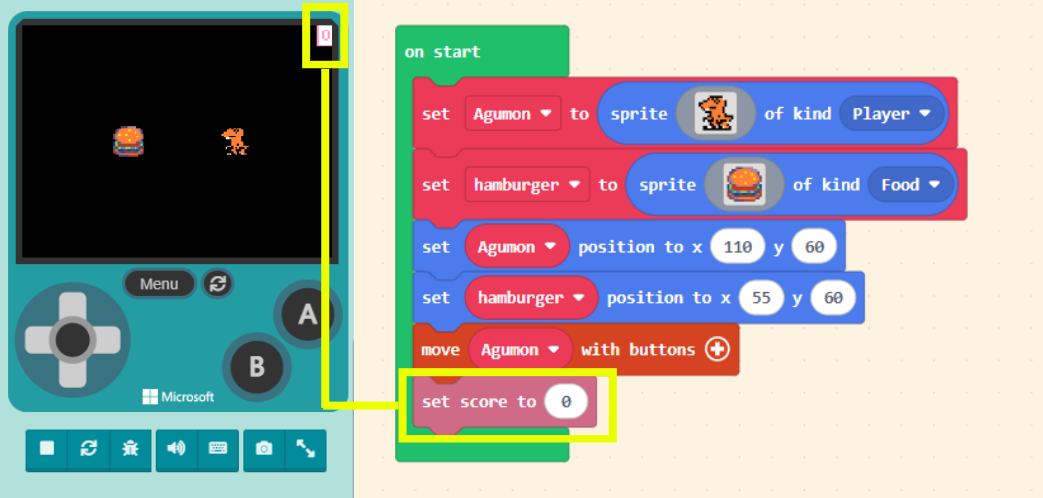
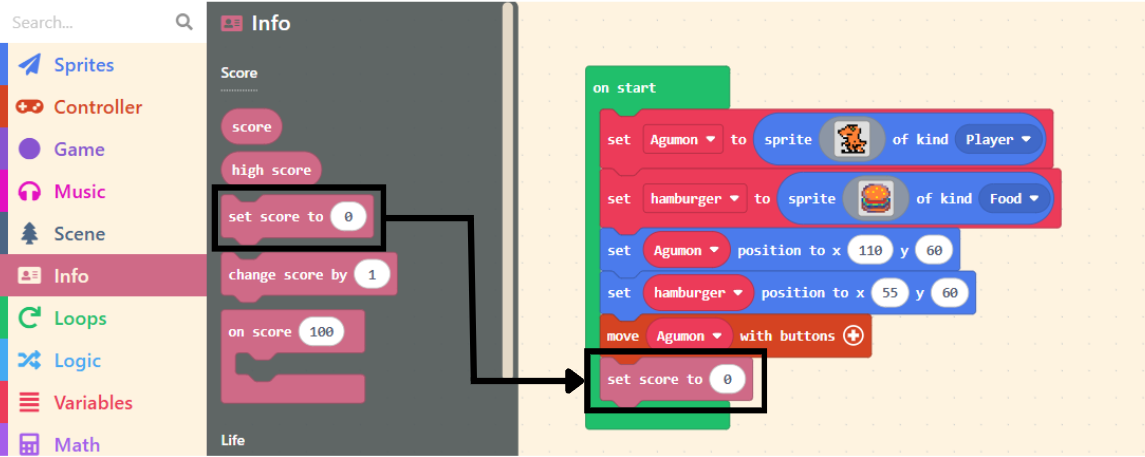
Now, let’s drag the “set score to ( 0 )” block and place it inside the “on start” block (it can be placed anywhere inside). Placing it in “on start” ensures the score resets to zero when the game restarts.
Next, we need a block to help us adjust the score. Also found in “Info,” drag out the “change score by ( 1 )” block.
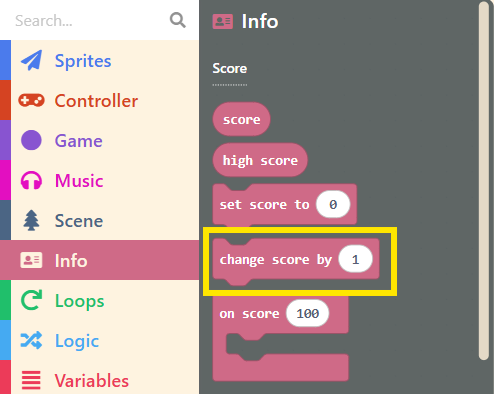
The “1” in “change score by ( 1 )” means adding 1 to the current score. If you enter a negative number, it will subtract from the score, as shown below:
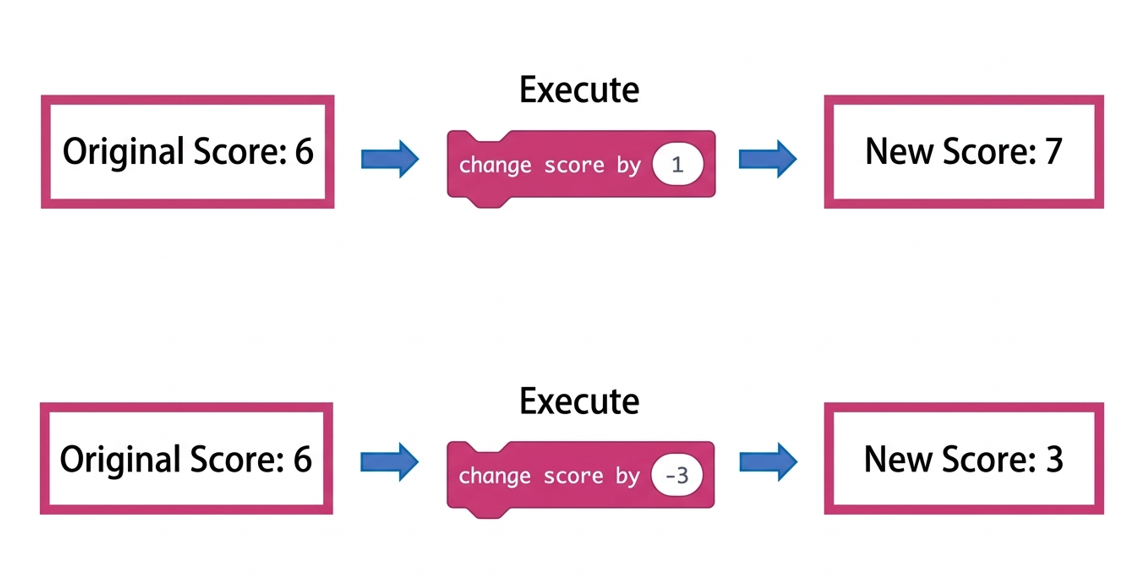
We can add this block to the “code that runs after the burger is eaten.” This way, when the Orange Dinosaur overlaps with the Burger, besides destroying the Burger, we also gain 1 point.
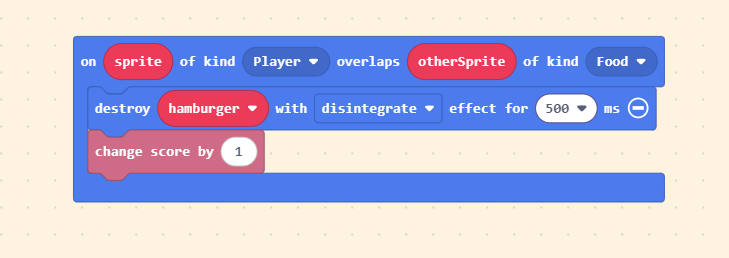
Once finished, run it in the Game Simulator and pay attention to whether the score increases!