
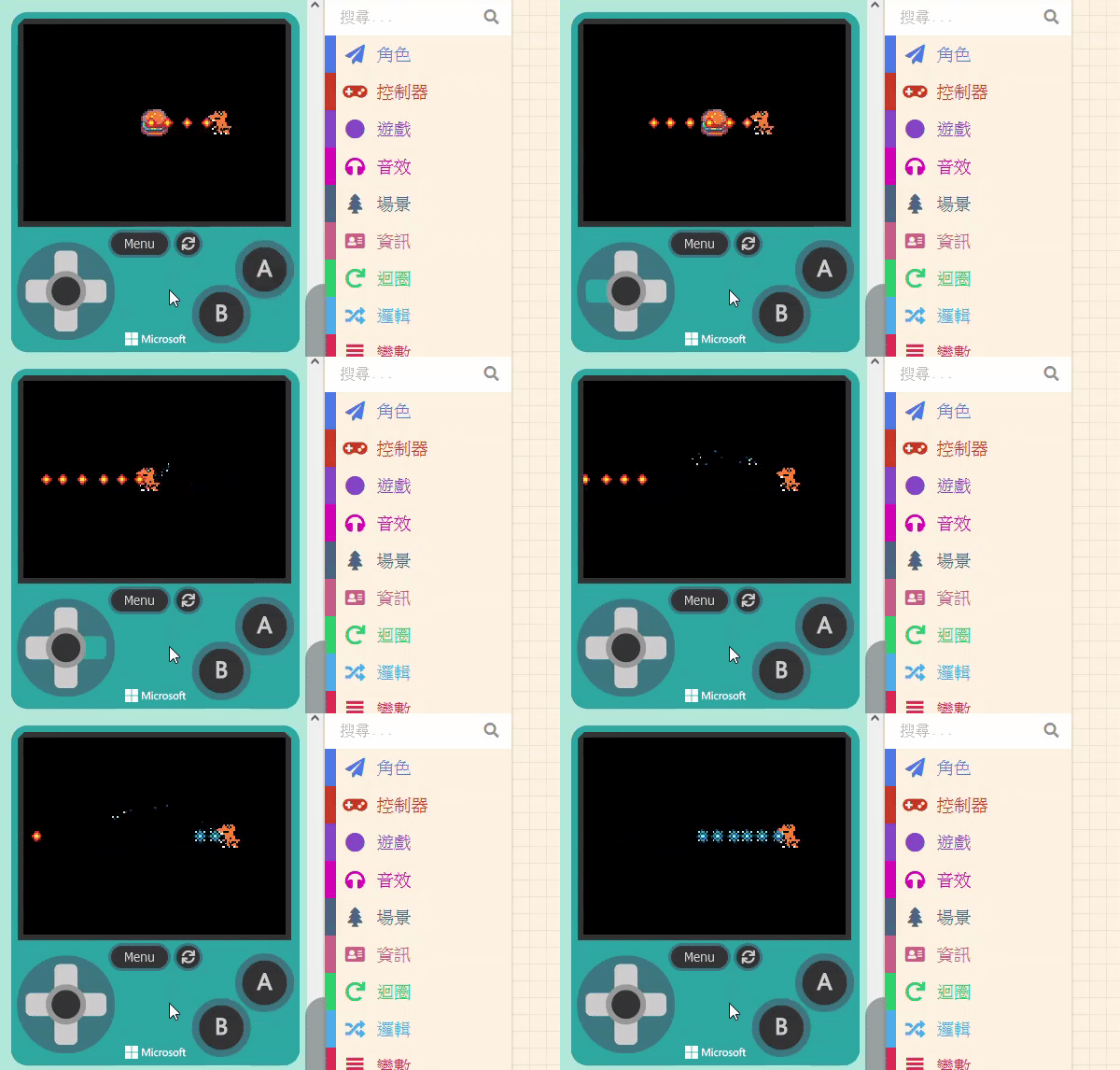
We will use “eating a Burger” as the trigger to change the bullets. First, add a new Sprite of kind “Food” (the Burger) and adjust the distance between it and the player. Next, set up the “Overlap” event so the Burger disappears (with an effect) when touched. You are already […]
Game:bit – Learning Computational Thinking Through Play
60 posts
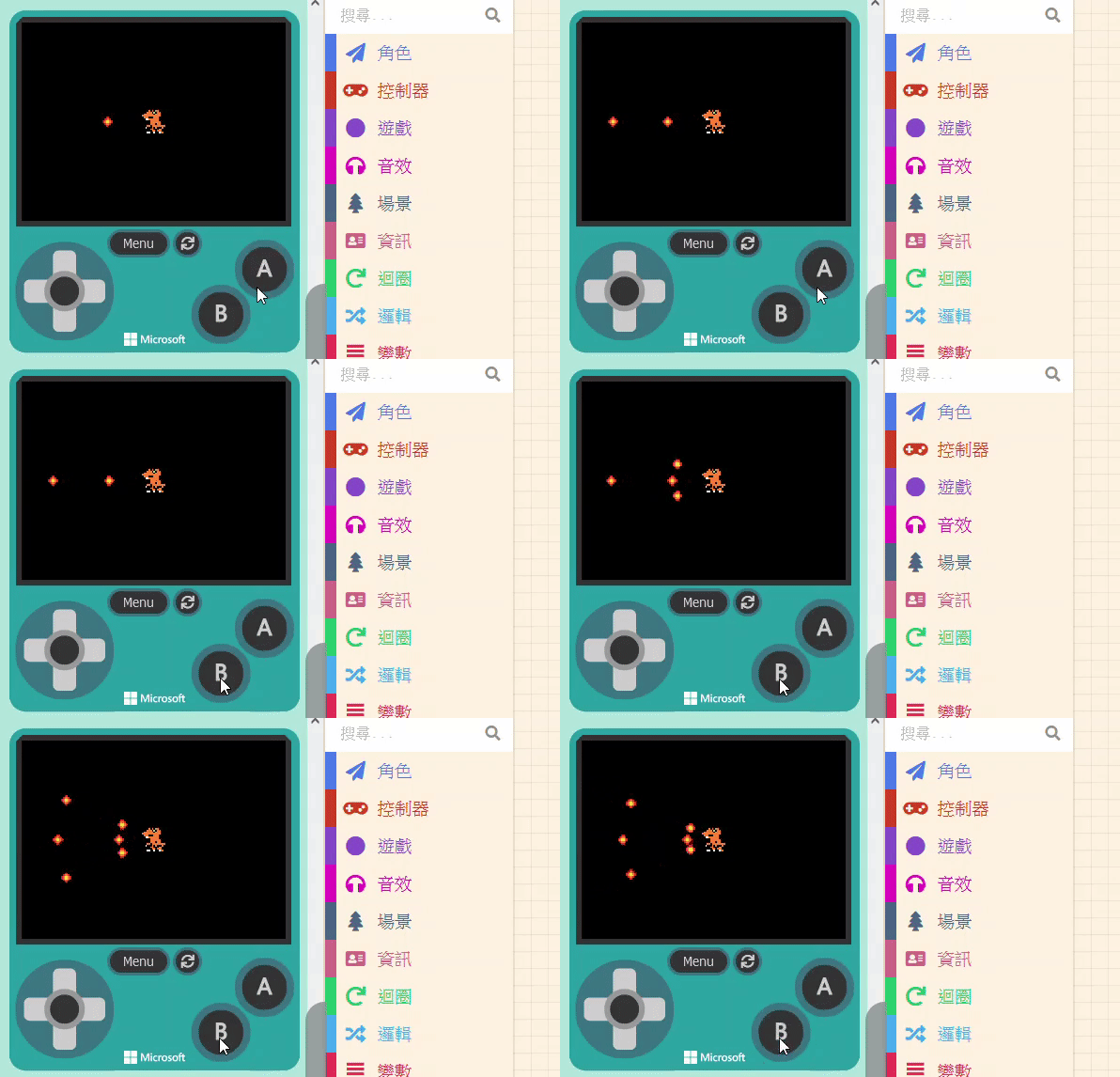
Besides basic gameplay, standard 2D shooting games often feature character enhancements. For example, picking up an “Energy Ball” might strengthen the player’s abilities or change the missiles fired. There are many types of projectile variations: simple damage increase, size increase, quantity increase, or shape changes. We will use a simple […]
11.1.1 Projectile Variations Besides basic gameplay, standard 2D shooting games often feature character enhancements. For example, picking up an “Energy Ball” might strengthen the player’s abilities or change the missiles fired. There are many types of projectile variations: simple damage increase, size increase, quantity increase, or shape changes. We will […]
In the previous units, we created a game. Since it was relatively simple, we couldn’t cover all features or different game genres. Therefore, this unit will propose some interesting ideas and solutions, guiding you through them step-by-step. We hope this will help you with problems you might encounter when designing […]
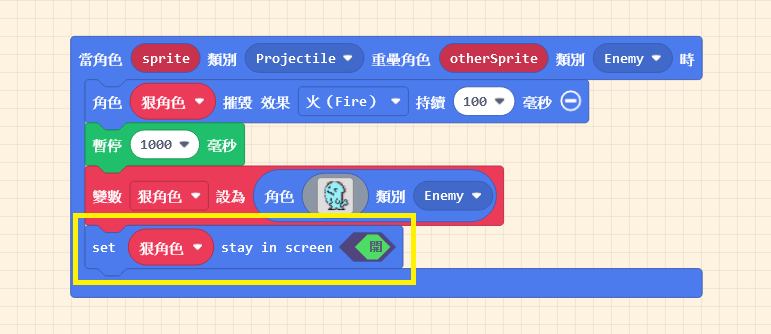
Next, let’s design the action for when the “Small Flame” hits the villain. We use the “Overlaps” block again. Set the Kinds to “Projectile” and “Enemy.” When the target is hit, we want the villain to be destroyed and show a special effect. It is recommended to keep the effect […]
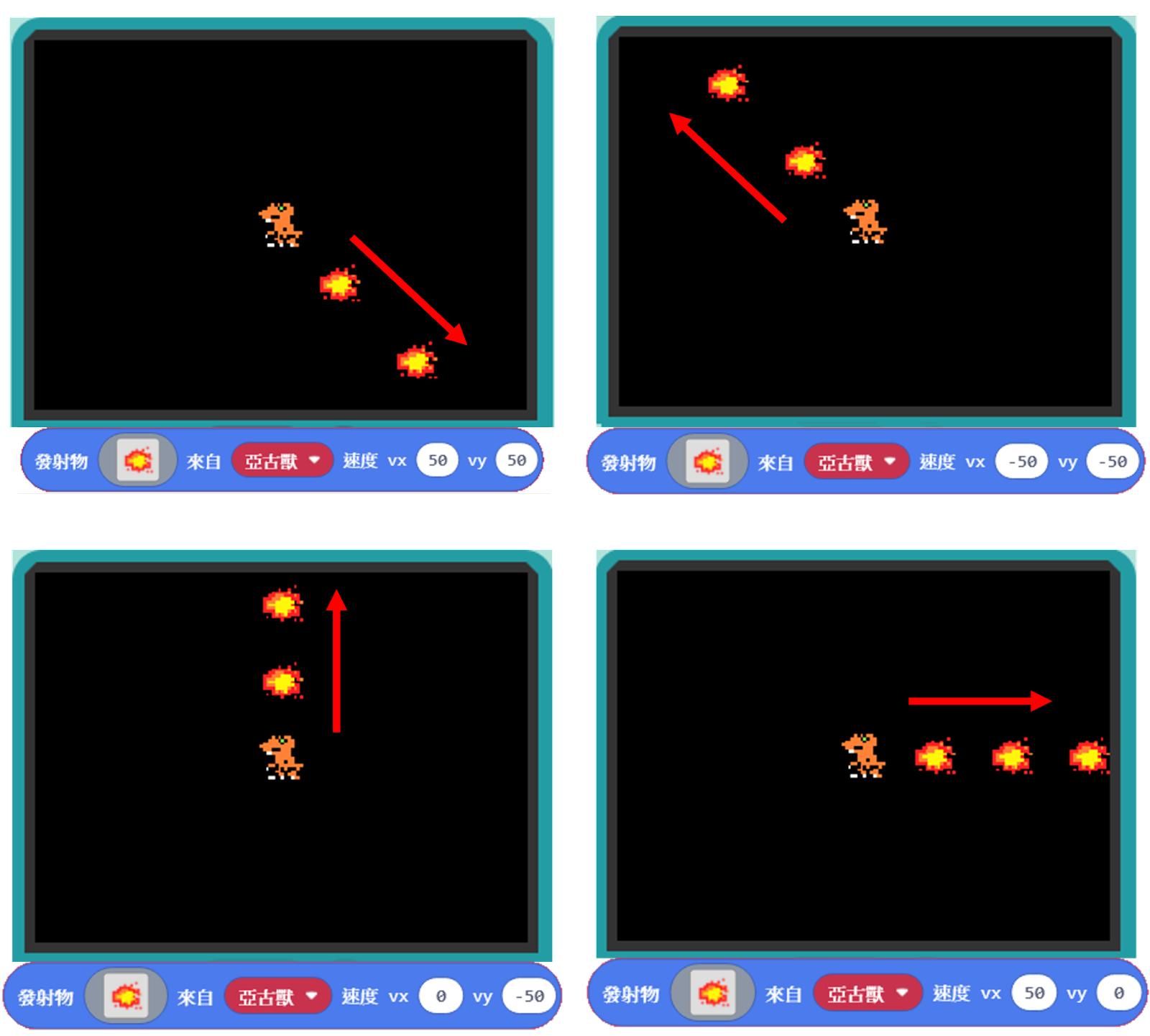
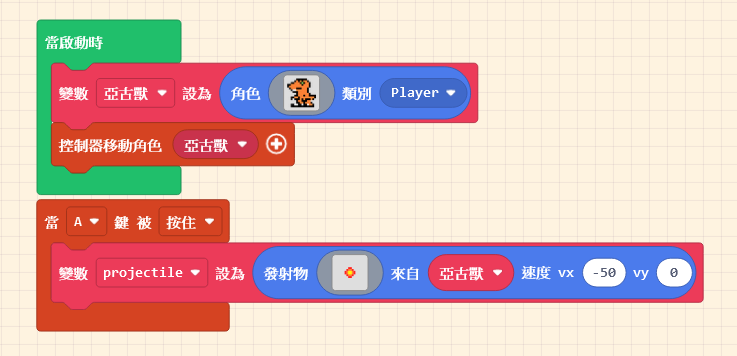
Making a sprite fire missiles is not complicated. The relevant blocks are located in the “Sprites” category. Look closely, and you will see two blocks related to “Projectiles“. To add the attack function to our character, we need the second block. Drag it out first. We want the attack timing […]
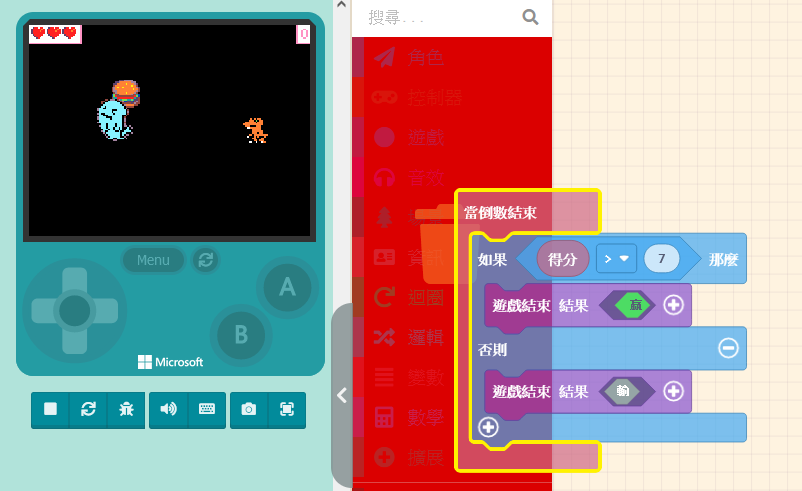
As gameplay mechanics increase, we need to adjust the way the game is played. Too many restrictions or excessive complexity won’t necessarily improve the game experience—balance is key. Since we are about to gain attack methods and face the constant threat of being defeated by the villain, determining the winner […]

First, open the game you made in the previous unit. Save the game file to your computer; you can modify the file name if you wish. Next, to load a game: First, return to the Game Project List by clicking “MakeCode Arcade” in the top-left corner. Click the “Import” button […]
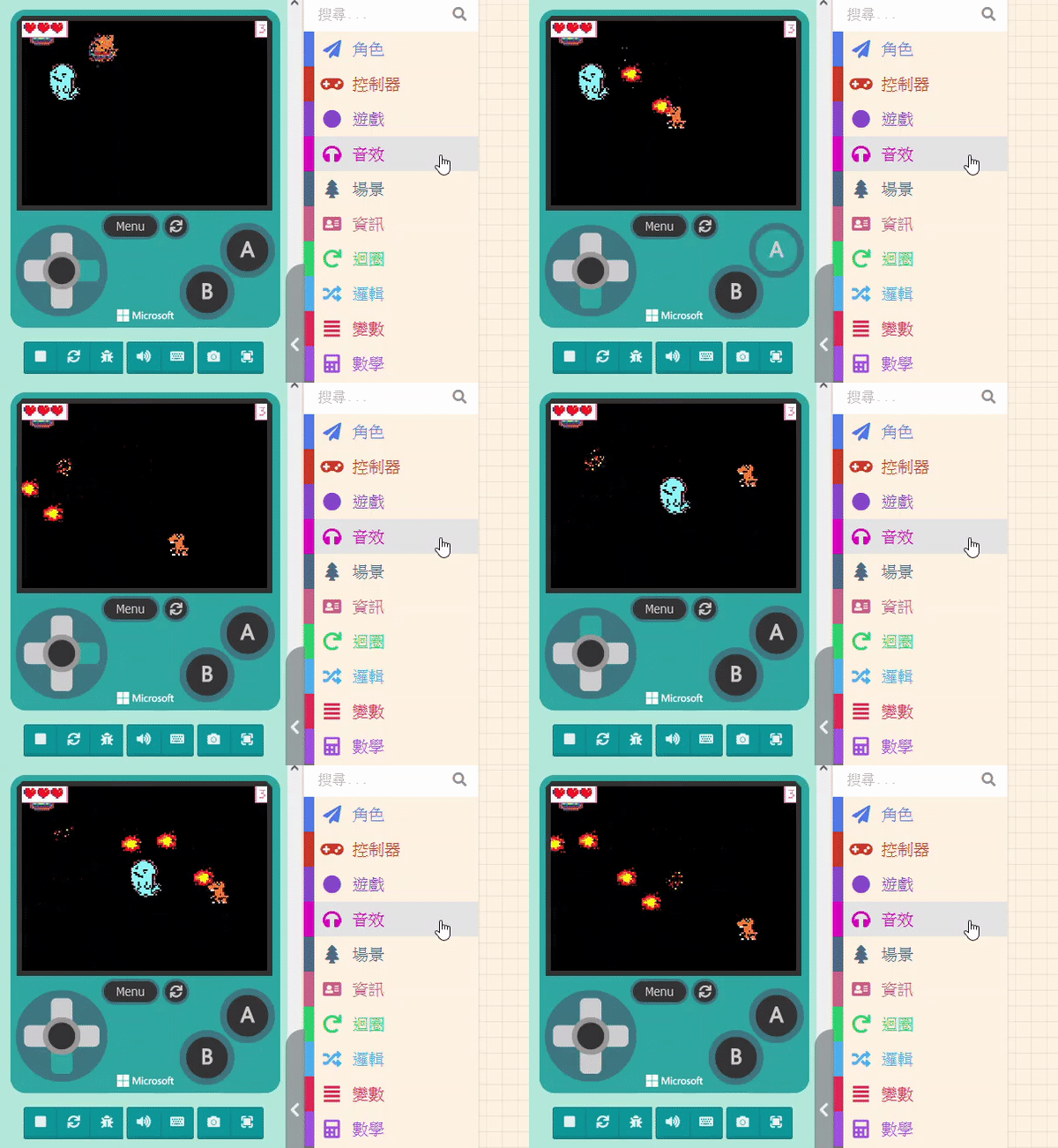
We’ve been dodging and weaving for two units, but now it’s finally time to teach you how to attack! We will start with how to make the sprite fire missiles, explain how to adjust the firing direction, and finally set the effect when the villain is hit by a missile. […]